 ChatVault – AI Chat Exporter
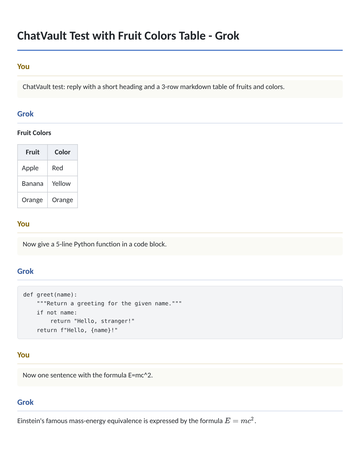
Export your ChatGPT, Gemini, Perplexity, Grok and DeepSeek chats to Word, PDF and Markdown in one click — tables, code and equations intact, all processed locally.
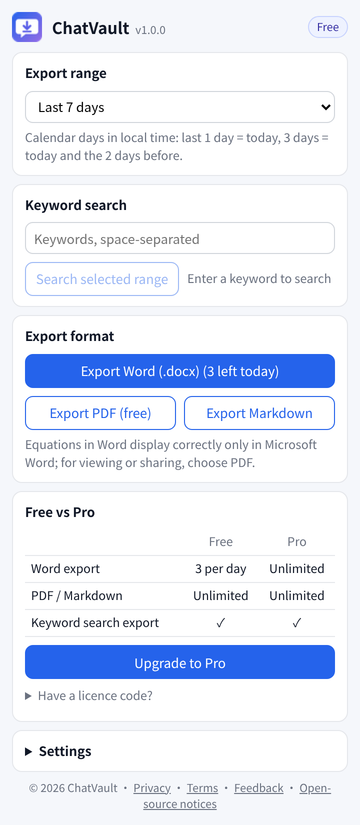
✓ PDF & Markdown export — free forever, unlimited.
Word export: 3 free per day, unlimited with Pro.
Supported platforms
 ChatGPTSupported
 GeminiSupported
 PerplexitySupported
 GrokSupported
 DeepSeekSupported
 KimiSupported
 QwenSupported
 DoubaoSupported
 YuanbaoSupported
 ClaudeComing soon
 Word (.docx)Supported
 PDFSupported
 MarkdownSupported
 ChromeComing soon
 Microsoft EdgeComing soon
Features
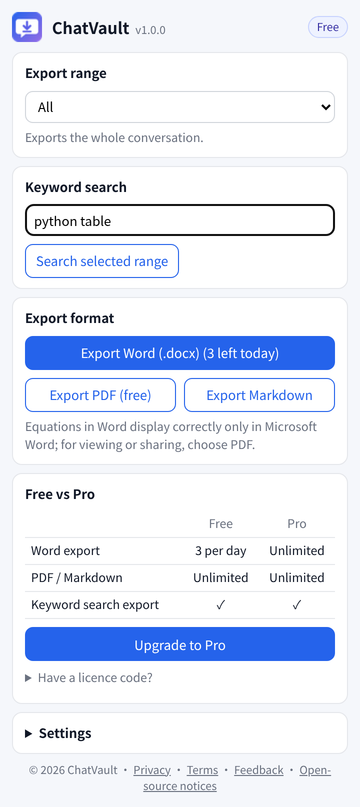
ChatVault is a browser extension for Chrome and Microsoft Edge. Open a ChatGPT, Gemini, Perplexity, Grok, DeepSeek, Kimi, Qwen, Doubao or Tencent Yuanbao conversation, click the extension icon, and export the whole conversation — including equations, tables and code — to Word (.docx), PDF or Markdown. Everything is processed locally in your browser; chat content is never uploaded.
Screenshots
Pricing
✓ PDF & Markdown export — free forever, unlimited.
The free plan covers everyday use; upgrade when you need unlimited Word exports. All paid plans are one-time payments with no auto-renewal.
Free
- PDF / Markdown exportUnlimited
- Word export3 per day
- Keyword search export✓
- Validity—
- Devices—
Pro · 30 days
- PDF / Markdown exportUnlimited
- Word exportUnlimited
- Keyword search export✓
- Validity30 days
- DevicesUp to 3 per licence code
Pro · Lifetime
- PDF / Markdown exportUnlimited
- Word exportUnlimited
- Keyword search export✓
- ValidityLifetime
- DevicesUp to 3 per licence code
How to pay
After purchase, your licence code is emailed automatically to the address you entered at checkout. Payments are processed by Creem as merchant of record. Full refund on request within 14 days — see Terms · Refunds.
How it works
- Install the extension (Chrome or Edge).
- Open a conversation on ChatGPT, Gemini, Perplexity, Grok, DeepSeek, Kimi, Qwen, Doubao or Yuanbao.
- Click the ChatVault icon in the toolbar and choose a format.
- Pro: click “Have a licence code?” in the popup, paste the code from your email and activate.
Contact & support
For questions, a resent licence code or a refund, email whjdygyh@gmail.com.
Seller: SU MINGYANG (individual seller)